Back to projects

Case study / Personal project

Context Recall

Context Recall is a local-first macOS meeting assistant for consented recordings. It captures user-controlled local audio sources, transcribes meetings with MLX Whisper, stores transcripts locally, and supports privacy-conscious meeting recall of decisions, action items, and context.

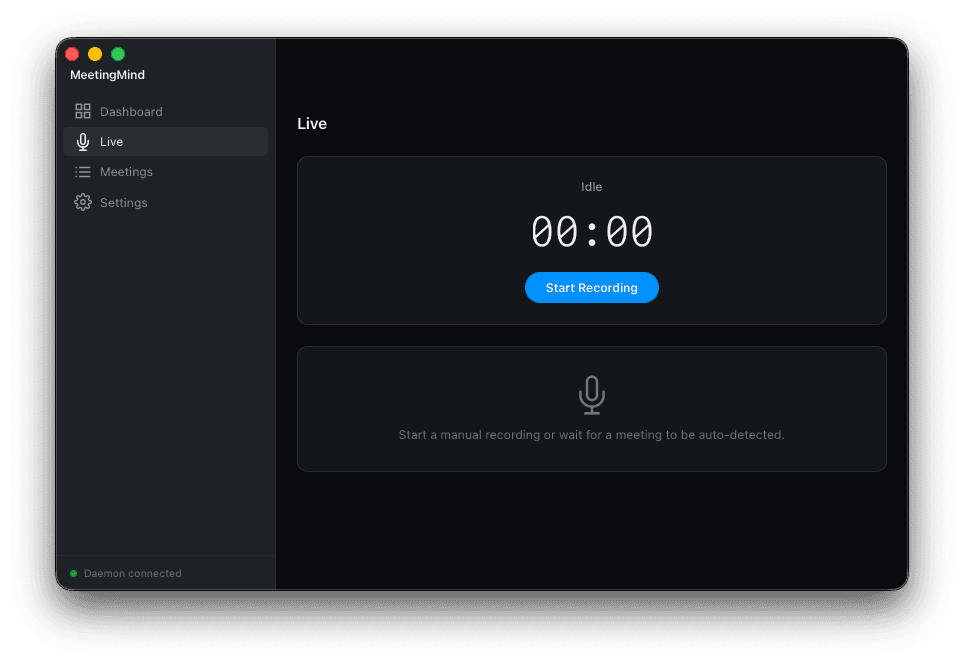
Context Recall dashboard showing live recording interface with audio meters and transcript

The main dashboard during an active recording — real-time audio levels, streaming transcript, and meeting controls.

0

Network calls during transcription

All speech-to-text runs on-device via MLX Whisper + CTranslate2.

2

Audio sources per meeting

System audio + microphone captured in parallel and RMS-normalised.

3

Export targets

Markdown (Obsidian-compatible), native Notion pages, plain-text transcript.

Local + cloud

AI providers supported

Ollama for fully offline summaries, Claude API for higher-quality cloud summaries.

[ Problem ]

Taking manual notes during meetings splits your attention between listening and writing, producing inconsistent records that miss key decisions. Existing transcription tools either require visible bot participants that change how people behave in meetings, or stream raw audio to external servers — a non-starter for sensitive business discussions. I wanted a privacy-conscious meeting recall workflow with user-controlled capture, local-first processing, and professional consent-first operation for sensitive discussions.

[ Approach ]

01. Designed the system as a Python daemon (FastAPI on localhost) paired with a Tauri v2 desktop app. Capture is user-controlled and limited to configured local audio sources, with consented recordings merged and normalised for reliable downstream transcription.

02. Built the transcription pipeline around MLX Whisper for efficient on-device speech-to-text. Added energy-based speaker diarisation to distinguish the user from remote participants, producing speaker-labelled timestamped transcripts without unnecessary network transfer of raw audio.

03. Connected the transcript output to either a local Ollama instance or the Claude API for structured summarisation. The system generates meeting summaries with action items, key decisions, and attendee contributions, then exports to Markdown with YAML frontmatter (optimised for Obsidian) or directly to Notion databases.

[ Architecture ]

A1. Tauri v2 shell with a React and TypeScript frontend handles the desktop UI, window management, and native integration points while keeping the binary small.

A2. A Python FastAPI daemon bound to localhost runs alongside the shell, responsible for meeting detection, lifecycle state, and orchestrating the audio capture subsystem.

A3. Dual audio capture pulls system output through the BlackHole virtual driver and microphone input in parallel, then merges the two streams with RMS normalisation so neither side dominates the mix.

A4. The transcription pipeline runs MLX Whisper on a CTranslate2 backend with energy-based diarisation, producing speaker-labelled timestamped segments without any network traffic.

A5. A summary layer routes transcripts to either a local Ollama model or the Claude API, so the same pipeline supports fully offline operation or higher-quality cloud summaries.

A6. An export layer writes Markdown with YAML frontmatter for Obsidian or pushes structured pages into Notion databases, while SQLite stores meeting metadata and backs full-text search across history.
[ Technical decisions ]

Tauri v2 with React and TypeScript frontend

Chose Tauri over Electron for a significantly smaller binary size and native Rust performance. The React frontend provides a polished interface with real-time audio meters, streaming transcripts, waveform visualisation, and a command palette (Cmd+K) — all styled with Tailwind CSS and managed with Zustand state.

Local-first transcription with MLX Whisper

Runs the entire speech-to-text pipeline on-device using MLX Whisper's CTranslate2 backend, avoiding cloud transcription APIs entirely. This keeps all meeting audio on the machine, addresses privacy requirements for sensitive discussions, and eliminates per-minute API costs.

Dual audio capture via BlackHole

Captures both system audio (remote speakers) and microphone input through separate channels using the BlackHole virtual audio driver on macOS. The streams are merged post-capture with RMS normalisation, producing clean mixed audio without requiring participants to install anything.

[ Features ]

Auto meeting detection

Provides guided capture controls so users can start and stop consented recordings intentionally without per-meeting reconfiguration.

Dual-channel audio capture

Captures remote participants and the local microphone on separate channels so transcripts can distinguish speakers reliably.

Real-time audio meters

Live level meters for both channels give immediate feedback that capture is healthy before a meeting starts.

Streaming transcript

Transcribed segments appear as they are produced so the user can follow the record as the meeting runs rather than waiting for a post-call export.

Command palette (Cmd+K)

Keyboard-first access to recording controls, search, and navigation keeps the interface out of the way during active calls.

Full-text meeting search

SQLite-backed full-text search spans every transcript and summary, with data and logs stored in app-managed local paths under user control.

Obsidian + Notion export

Writes Markdown with YAML frontmatter for Obsidian vaults or native pages into Notion databases, letting meetings flow into existing knowledge systems.

[ Outcome ]

  • > Shipped a local-first meeting pipeline for consented recordings, from user-controlled capture through transcription to structured summaries.
  • > All audio capture and transcription stays on-device, making the tool suitable for confidential discussions where cloud-based alternatives are not appropriate.
  • > Built a polished desktop application with live audio meters, streaming transcripts, full-text search across meeting history, waveform playback, and multiple export formats including Obsidian-compatible Markdown and native Notion pages.

[Challenges & learnings ]

Keeping two live audio streams in sync without drift

The system audio and microphone arrive from different devices with independent clocks, so small drift accumulates quickly. Capture runs on a shared frame clock, each stream is RMS-normalised so neither side dominates the mix, and frame-aligned mixing is handled on fixed-size buffers rather than by concatenating raw chunks, which keeps the merged output aligned with the transcript timeline.

Running MLX Whisper efficiently without blocking the UI

The FastAPI daemon hosts transcription on a background worker and streams partial segments to the Tauri frontend over a local HTTP and WebSocket bridge. The UI only awaits small incremental messages, the Python side pushes results as soon as a segment is ready, and the async boundaries are scoped tightly so the React layer never has to wait on a long-running inference call.

Handling Teams meeting edge cases reliably

Teams calls change shape mid-meeting — mute toggles, breakout rooms, and screen-share transitions all alter the audio graph. Detection reads mute state and active device changes explicitly, breakouts are treated as scoped sub-sessions rather than new meetings, and any capture failure falls back to manual recording rather than silently dropping audio, so the record stays trustworthy even when the call does something unexpected.

[ Screens ]

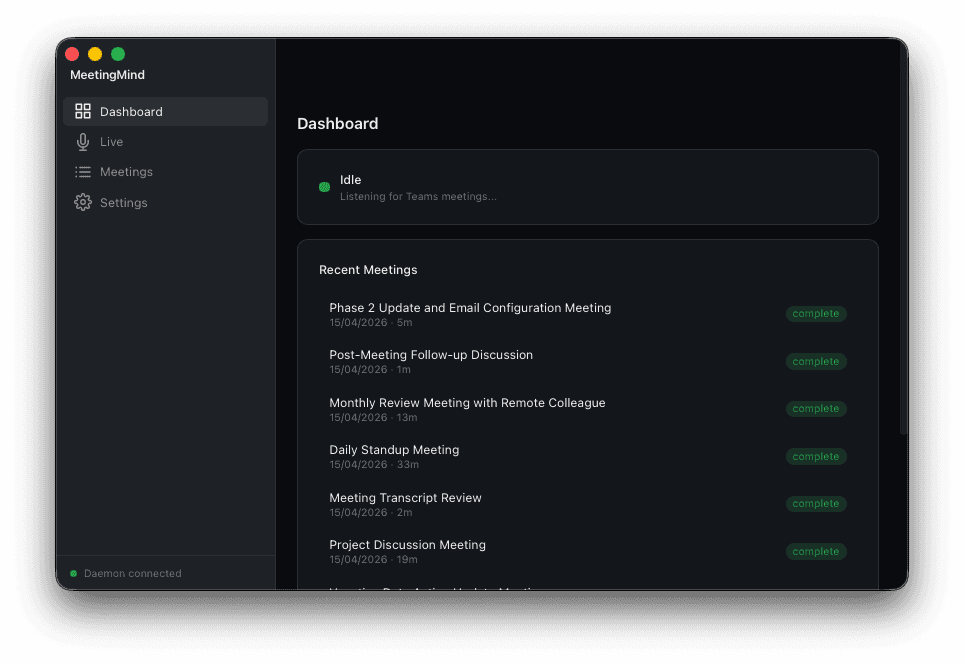
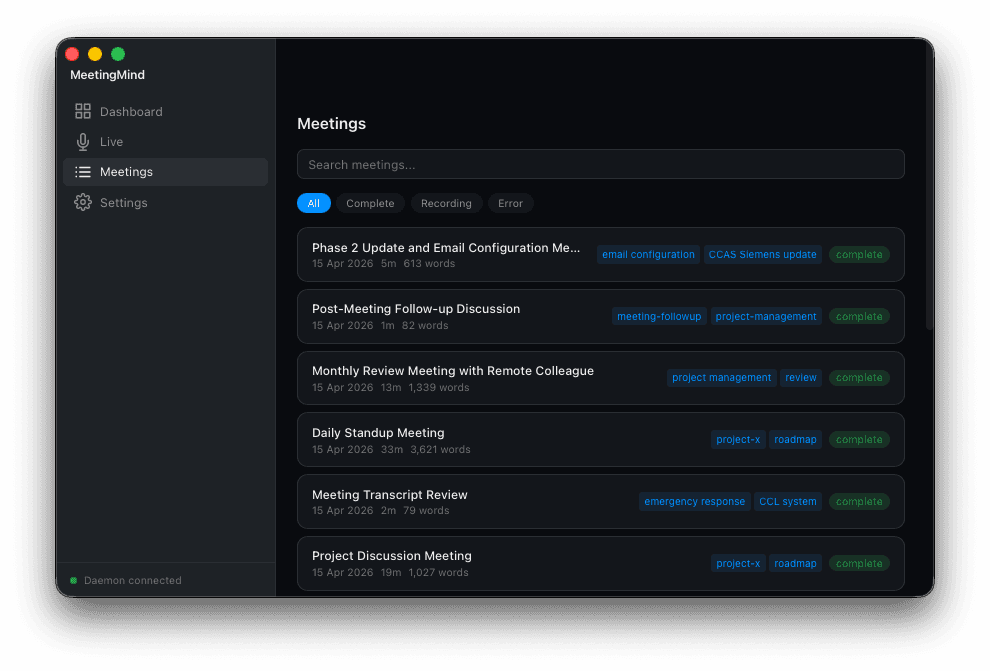
Context Recall meetings list with search and meeting history
Meeting history view with full-text search across all transcripts and summaries.
Context Recall manual recording interface with waveform visualisation
Manual recording mode with waveform visualisation and speaker-labelled playback controls.
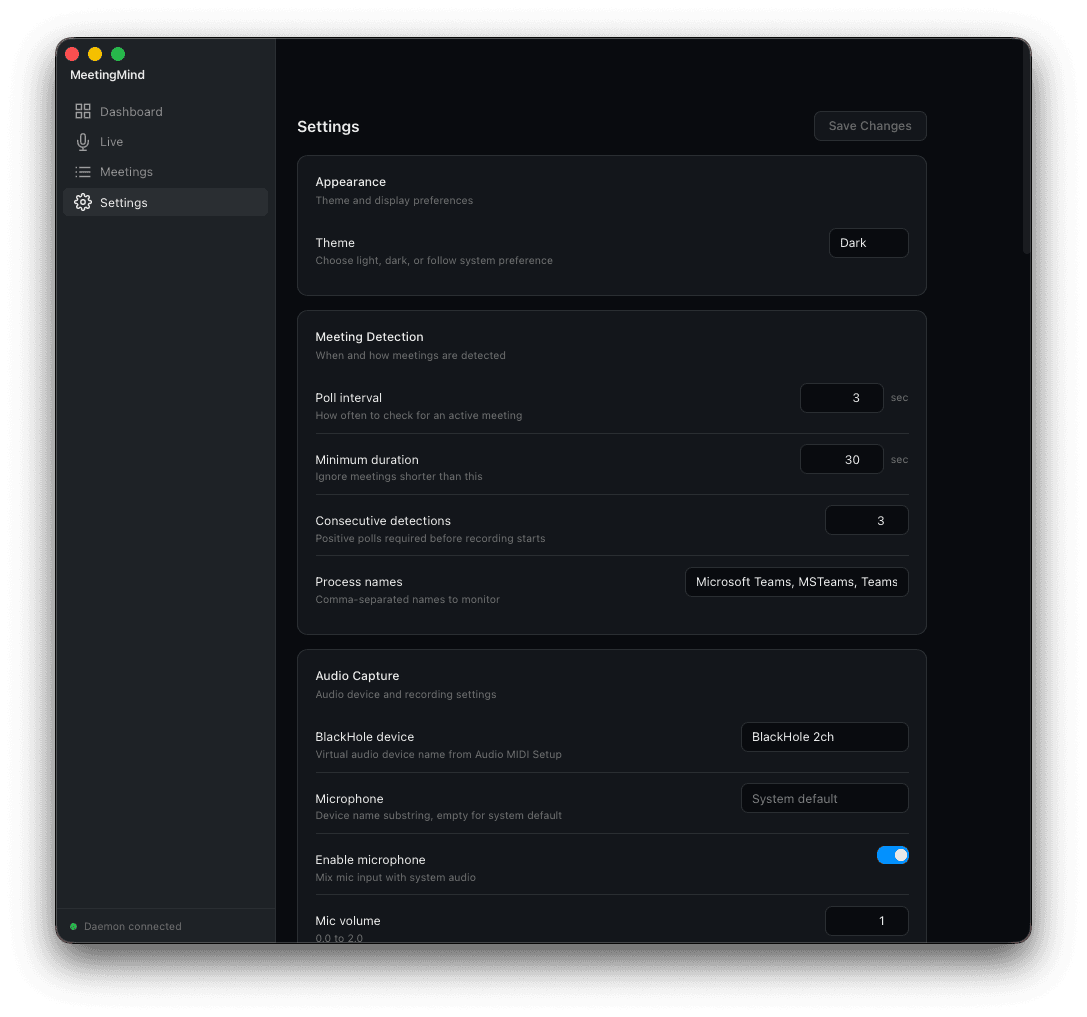
Context Recall general settings panel showing recording defaults and app preferences
General settings — recording defaults, consent and capture behaviour, and app-wide preferences in one panel.
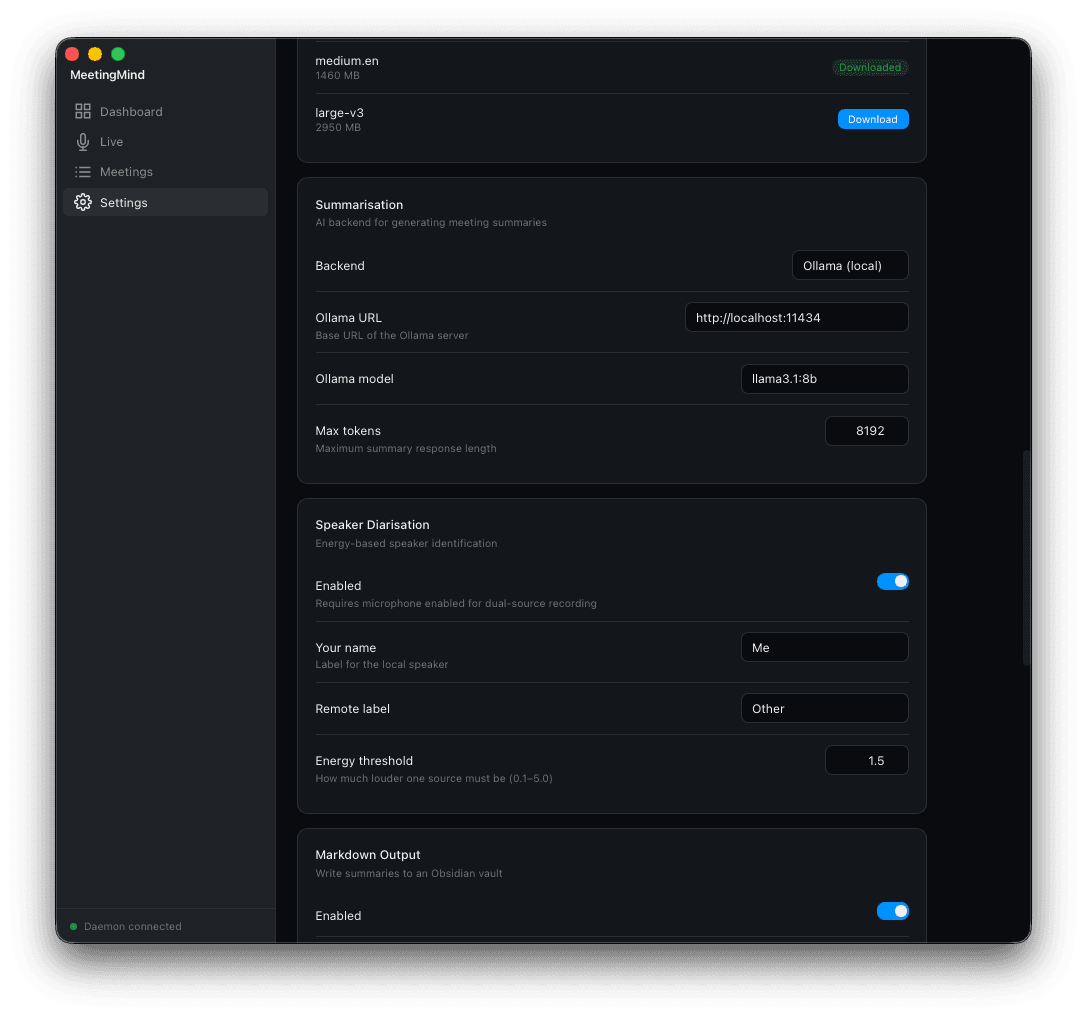
Context Recall advanced settings panel for transcription model, AI provider, and export targets
Advanced settings — transcription model selection, AI provider routing between local Ollama and Claude, and Notion / Obsidian export configuration.